Overlapping text problem on Mac
This info was updated 2 July 2026. It applies only to Mac users, not to Windows.
Summary
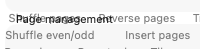
Overlapping text like this?
|
Do you have overlapping text issues on Quite Imposing screens? On macOS Tahoe? Acrobat 26.1.21651 broke it, Quite Imposing Plus 6.0e solves it.
download now (free if you have a V6 license).
|
Details
This problem only happens on macOS 26 ("Tahoe") and above. It appeared when Adobe released Acrobat 26.1.21651. The effect was that text overlapped in the screens (dialogs) of Quite Imposing Plus, as in this example of the Control Panel:
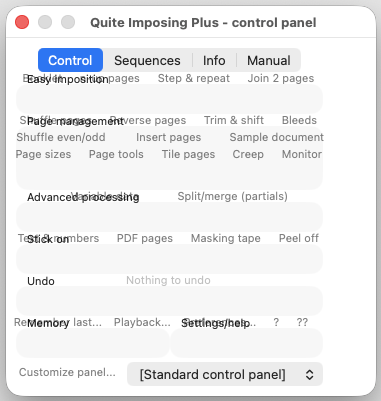
We do not know whether macOS or Acrobat caused this, the effect appeared without warning. But we were able to fix this in the Quite Imposing Plus 6.0e. This is a free update for customers with a V6 license, a chargeable upgrade for holders of V5 license and below.
What's new in V6 and how to upgrade.
Automatic updates
Quite Imposing Plus does not update automatically. But by default Acrobat does update without asking. This is not controlled from Creative Cloud like other apps, but from the Updates section of Acrobat Preferences.
